


Online Safety
Children at Greenisland Primary School use the internet on a regular basis as part of their learning.
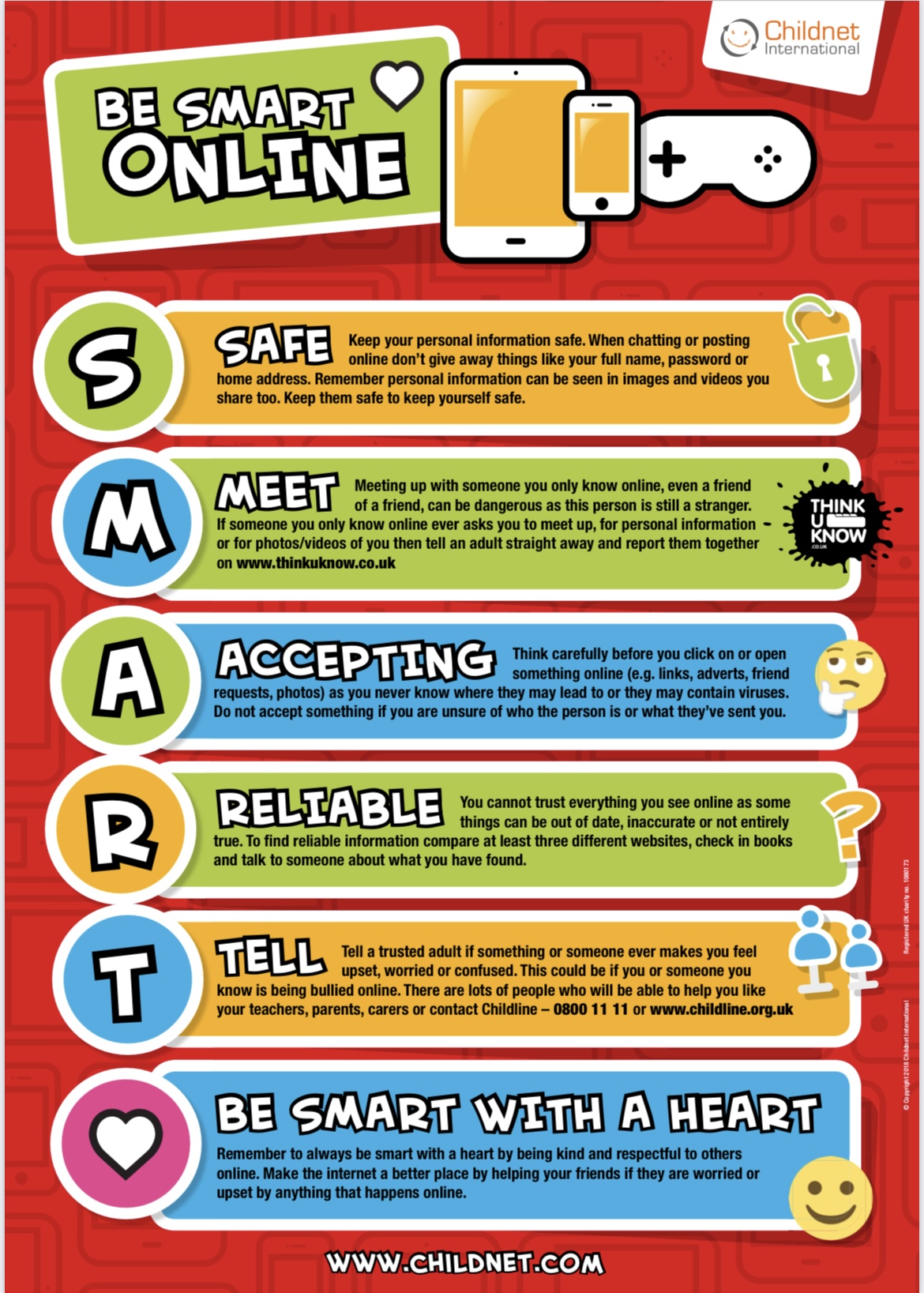
In school, we have 'e-safety' posters around our shared learning areas and above the computers to remind children of the importance of keeping themselves safe online. We also have ‘Internet Safety Days' when the children complete a range of internet safety tasks and activities and learn more about how to stay safe when online.
We recognise that online supervision might be different at home compared to school. We endeavour to provide guidance and information to help parents ensure their children are protected when online.
- Use Greenisland Primary School verified websites: Use verified website to access resources and websites that we have checked to see if they are appropriate and useful to assist in the learning of your child. All of the sites we have links to are safe for your child to use independently.
- Explore e-safety sites - There are lots of links to useful e-safety sites listed below. They are great fun to explore, so why not browse through them with your children?
- Social Media (Facebook, Twitter etc) - Many of these sites have a minimum age limit which our children have not yet reached and so pupils should NOT be using them. They do not offer high levels of protection, allowing children to communicate with anyone.
- Keep your computer in a shared area - Talk to your child about what they are doing online and, if possible, set up your computer in a shared area at home so that you can all share in the wonderful sites that are available online.
Safer School App NI
-
Safer Schools NI is a free app, funded by the Department of Education, that provides valuable resources and advice on various online safety issues, including Catfishing. The app includes a new resource, "Catching a Catfish", which provides information on:
- Identifying Catfishing: Learn to recognise the signs of a fake profile and deceptive online behaviour.
- Avoiding Online Scams: Gain practical tips and strategies to protect yourself from Catfishing and other online scams.
- Verifying Online Identities: Discover techniques to confirm the authenticity of online profiles.
- Staying safe on social media and dating apps: Access valuable advice on navigating online platforms safely.
What can you do?
- Download the Safer Schools NI app (more information if you click the icon on this page): Available for free on Google Play and the Apple App Store.
- Talk to your child about online safety: Have open and honest conversations about the risks of online interactions and the importance of being cautious.
- Familiarise yourself with the 'Catching a Catfish' resource: Use this resource to learn more about Catfishing, the risks and how to engage your child in a constructive conversation.
Some links to more information:
- Internet Matters - an e-safety app designed for children aged between 8-10 which can be used alongside an adult to ensure the children make smart choices as to how to stay safe.
- Think U Know - containing internet safety advice for those aged from 5 to 16, along with parents and teachers, this site is produced by CEOP (the Child Exploitation and Online Protection Centre).
- Kidsmart - An award-winning internet safety programme for children.
- Childnet - lots of useful advice for keeping yourselves and your children safe on the Internet.
- Family Lives - Information and advice about bullying for children, parents and schools.
- Kidscape - An organisation which helps to prevent bullying and child abuse.
- Childline - ChildLine is the free helpline for children and young people in the UK.